




Piperspin Mobile App
The Piperspin app gives players quick access to all the features of our casino on mobile devices. The software is designed with the same performance and capabilities as the desktop version. The Piperspin app quickly loads games and any sections of the platform at any time. All features are optimized for touch control on screens of any size.



Piper Spin App for Windows and Mac
The Piperspin app for Windows and Mac is designed for quick access to your desktop without complicated installation. Our web app launches on your desktop and runs as a standalone application. Windows and macOS users can create a shortcut in one click on our website. With a shortcut, our platform will work as a desktop app.
The interface automatically adapts to your screen resolution and runs smoothly. All Piperspin casino features are available in the application: games, payments, bonuses, and account settings. To install the quick access application on your PC, simply go to the Piperspin website in your browser and find the “create shortcut” function in the page settings. The PC software is now available for use.

Android Application to Play on the Go
The Piperspin Android app is a progressive web app (PWA). You can install our PWA without downloading anything from stores. The software is installed from your browser and works like a standard mobile app. The PWA provides full access to games, bonuses, payments, and account management tools. The PWA has the same functionality as the desktop platform. The interface is optimized for touch control, loads quickly, and adapts to any Android screen. Automatic updates allow you to always use the latest version without manual installation. This format saves space and works without interruptions.
Install APK for Android
Installing our Android app is easy. Here’s what you need to do:
- Open our official website in your browser.
- At the bottom of the home page, find the “Casino App” button.
- Click “Install”.
- The app will be added to the home screen.
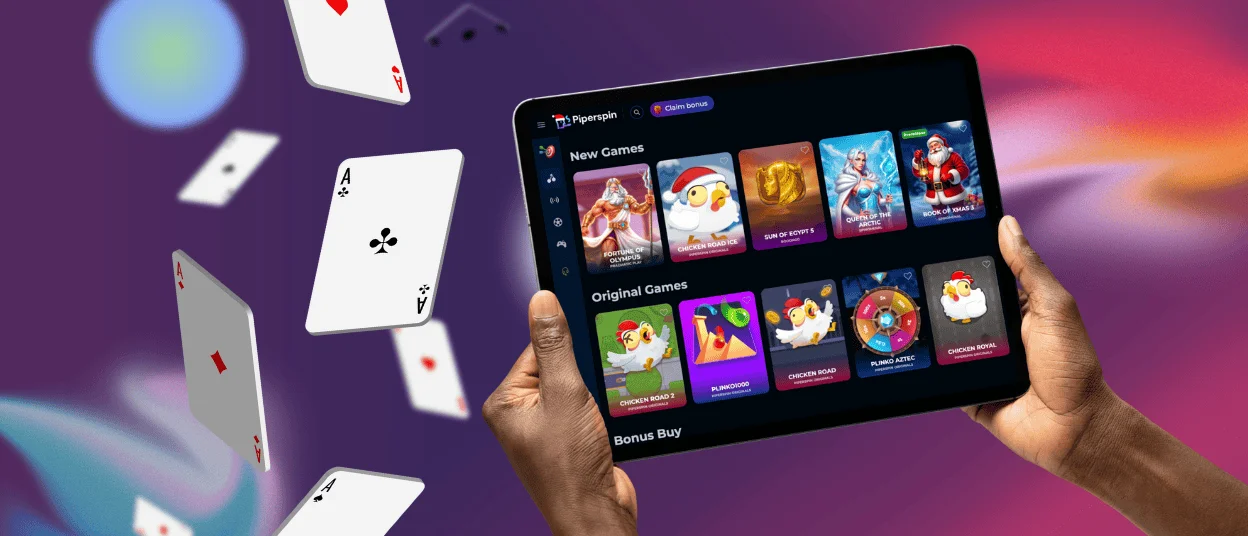
Application for iOS Devices
The Piperspin iOS software is available through your browser, so there’s no need to search for it in the App Store. You can get it right from your computer. It has the same tools as the desktop app and can be used on the web. Its design works perfectly on iPhone and iPad screens, and it loads quickly. In the iOS app, players can access games, manage accounts, and use all other casino features. With our software installed, you can receive notifications about new promotions, bonuses credited to your account, and more. The app launches from the home screen and quickly loads all games and features.
Download iOS App
- Open our official website in the Safari browser.
- Tap the Share icon at the bottom.
- Select “Add to Home Screen” from the menu.
- Confirm and tape “Add”.

Benefits of Piperspin Mobile App
The Piperspin app is designed for everyday convenience. It offers casino functionality in a fast-loading format for mobile use. The PC version has a bigger screen, but the mobile app is designed to be quick and easy to use right away. Both choices are safe and come with all the features you could want.
| Aspect | Mobile App | PC Version |
| Access | Launches instantly | Requires opening a browser |
| Mobility | Available anywhere | Limited to desktop or laptop |
| Navigation | Touch-optimized and streamlined | Mouse-based, more detailed layout |
| Notifications | Push alerts for updates | Updates can only be seen after logging in |
| Login Speed | Faster access | Standard login each session |
| Screen Experience | Compact gameplay | Larger screen for longer sessions |
FAQ
How Do I Download and Install the Piper Spin Casino App?
Open the official Piper Spin website in your mobile browser. Tap the “Casino App” button and confirm the installation. It is located at the bottom of the main page. The app will be added to your home screen in a few seconds. No additional downloads or installations are required.
Can I Sync My Account and Game Progress Across Different Devices?
Yes, one account works on all devices. Log in with your username and password on your mobile device or computer. Your balance, bonuses, settings, and game progress are synchronized across all platforms.
Is the Piper Spin App Secure for Real Money Transactions and Personal Data?
Yes, the app uses encrypted connections and secure protocols. All payments and personal data are protected. In addition to encryption, we use verification protocols and manual withdrawal checks. The same security standards apply to the mobile app and the desktop platform.
What Should I Do If I Encounter a Problem or Need Help While Using the App?
Contact support directly from the app or your browser. Online chat and email are available at any time. Support responds quickly and helps with any questions. Our support is available in several languages.


